Using Tasker to automate toggling RethinkDNS VPN
For years I’ve leveraged Adguard Home on my home network to manage ad and tracker blocking. But once I leave my home network, all that improved internet experience is lost. One option I’d used previously was to use a VPN to connect to my home network, which would route my phone’s DNS through AdGuard again. While that worked, it added the additional overhead and speed limitations of going via my home internet connection.
RethinkDNS is an open-source Android app that fills that gap by bringing DNS-level content blocking, a proper application firewall, and anti-censorship capabilities directly to your device. Unlike many DNS-based blockers that only handle DNS resolution, RethinkDNS runs a local VPN on your phone that intercepts all traffic, giving it the ability to both resolve DNS securely and block apps from accessing the network entirely.
Automating RethinkDNS with Tasker
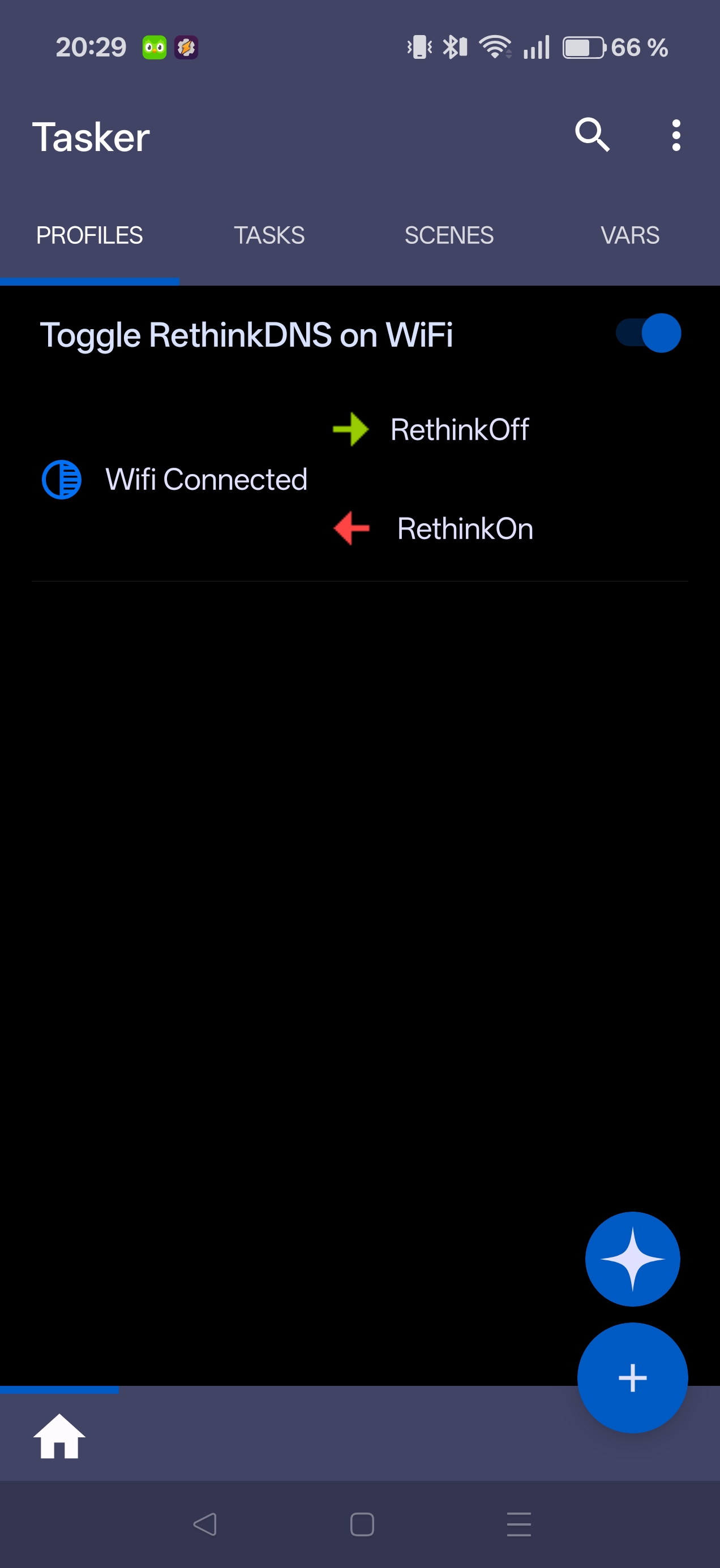
Since I already run Adguard on my home network for ad and tracker blocking, having RethinkDNS active at home is redundant. I automated this switching with Tasker so RethinkDNS disables on home WiFi and re-enables everywhere else.
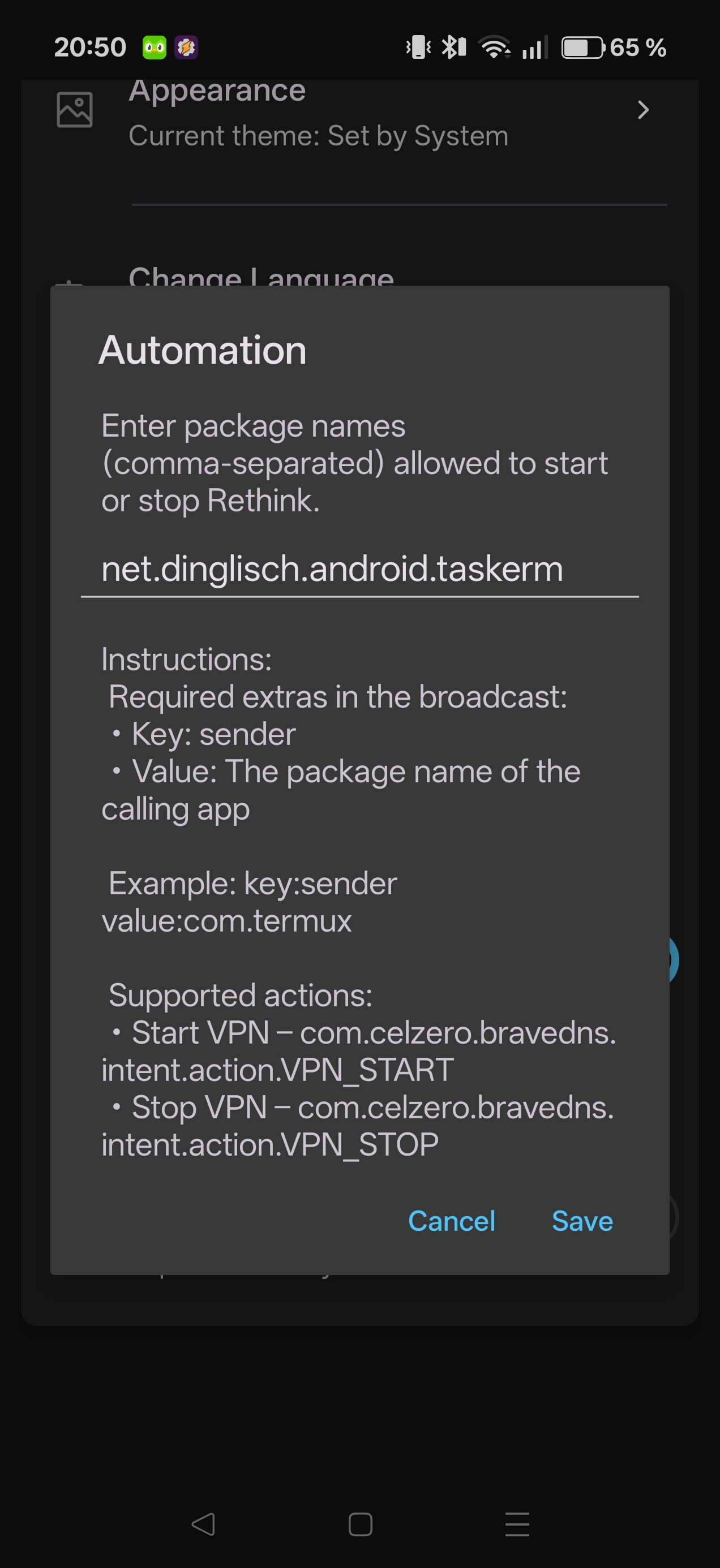
RethinkDNS exposes broadcast intents that allow external apps to start and stop the VPN. You’ll need to allow Tasker as a trusted sender first:
- Open RethinkDNS, go to Settings -> Automation
- Input the tasker package name
net.dinglisch.android.taskerm - Click save
Tasker
You’ll need to set up a new profile with the trigger and intent actions.
- Create a profile that uses State -> Wifi Connected
- Add the list of SSID for your home Wifi network
- Add a Send Intent to stop the VPN when connected
Action: com.celzero.bravedns.intent.action.VPN_STOP
Package: com.celzero.bravedns
Extra: sender:net.dinglisch.android.taskerm
Target: Broadcast Receiver
- Add an exit intent for starting the VPN
Action: com.celzero.bravedns.intent.action.VPN_START
Package: com.celzero.bravedns
Extra: sender:net.dinglisch.android.taskerm
Target: Broadcast Receiver
And that’s it — once enabled, the switching happens automatically.